A few new words,
every morning.
StickyWord is a Japanese vocabulary app built on sticky notes. Ten arrive on your desk each day. Peel off the ones you already know, and the rest come back just as you start to forget them.
iOS 18.2+ / Android 11+ · 日本語 / 中文 / English / 한국어 / Tiếng Việt · No account needed
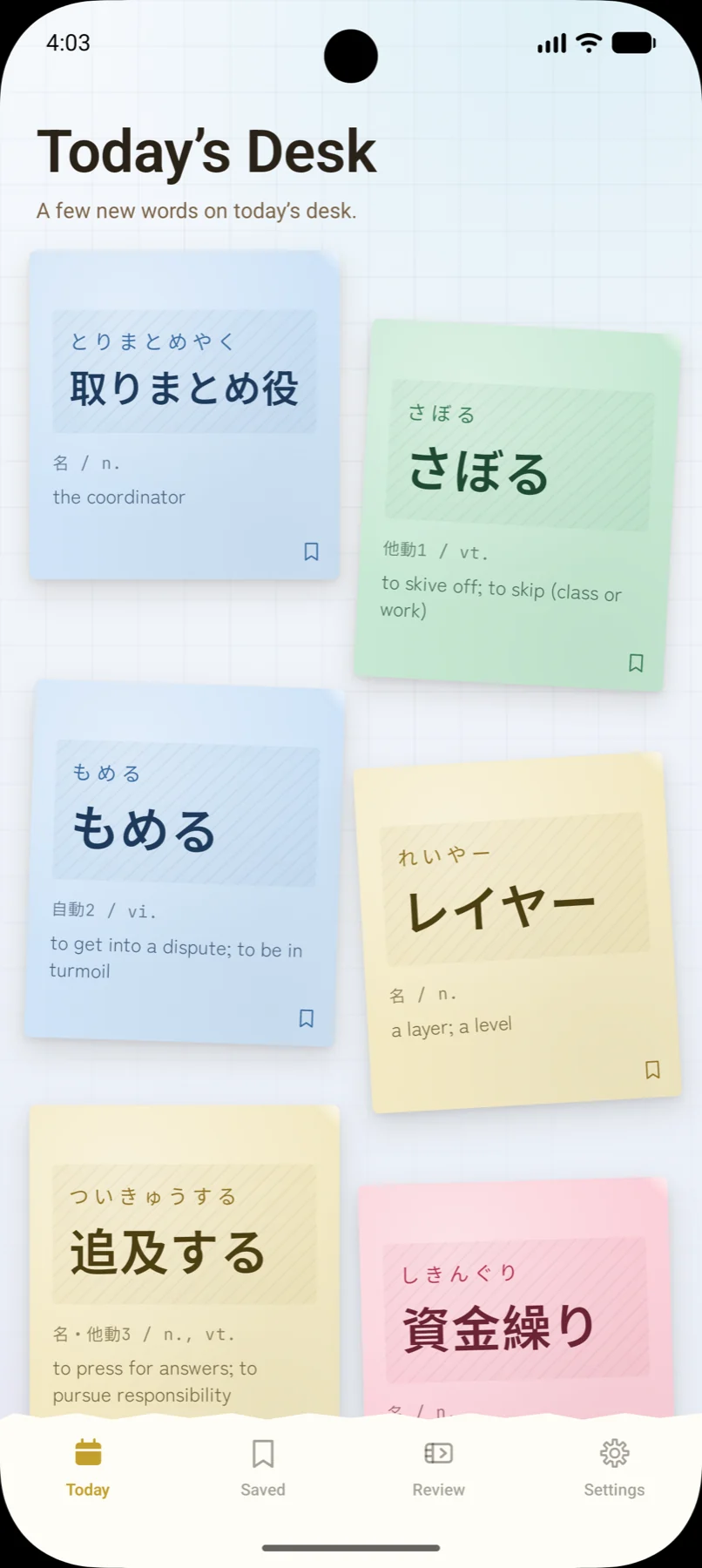
Only today's words are on the desk
No endless list to scroll. Reading, part of speech, the meaning in the language you picked, and an example sentence all fit on a single note.
The desk is also where you triage. Tap "I already know this" and the word graduates for good. Whatever you leave on the desk joins the review queue when the day ends, at 4 a.m.
Keep the ones worth keeping
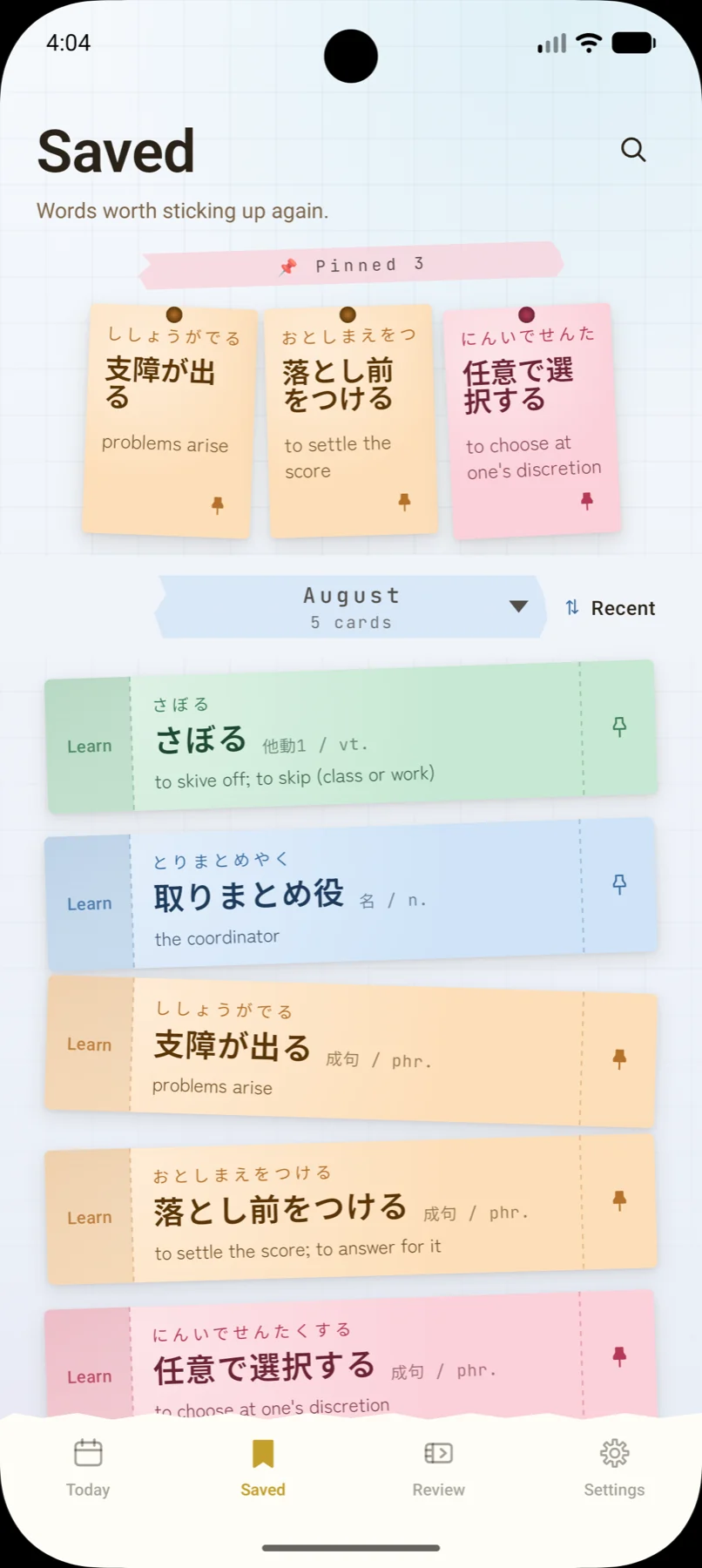
Tap the bookmark and the word goes straight into your binder. Pin the ones you return to and they stay at the top — up to nine.
Everything else is grouped by month, with kana ordering, a kana index down the right edge, and search across Japanese, kana, romaji and every gloss. You will find it again.
They come back as you start to forget
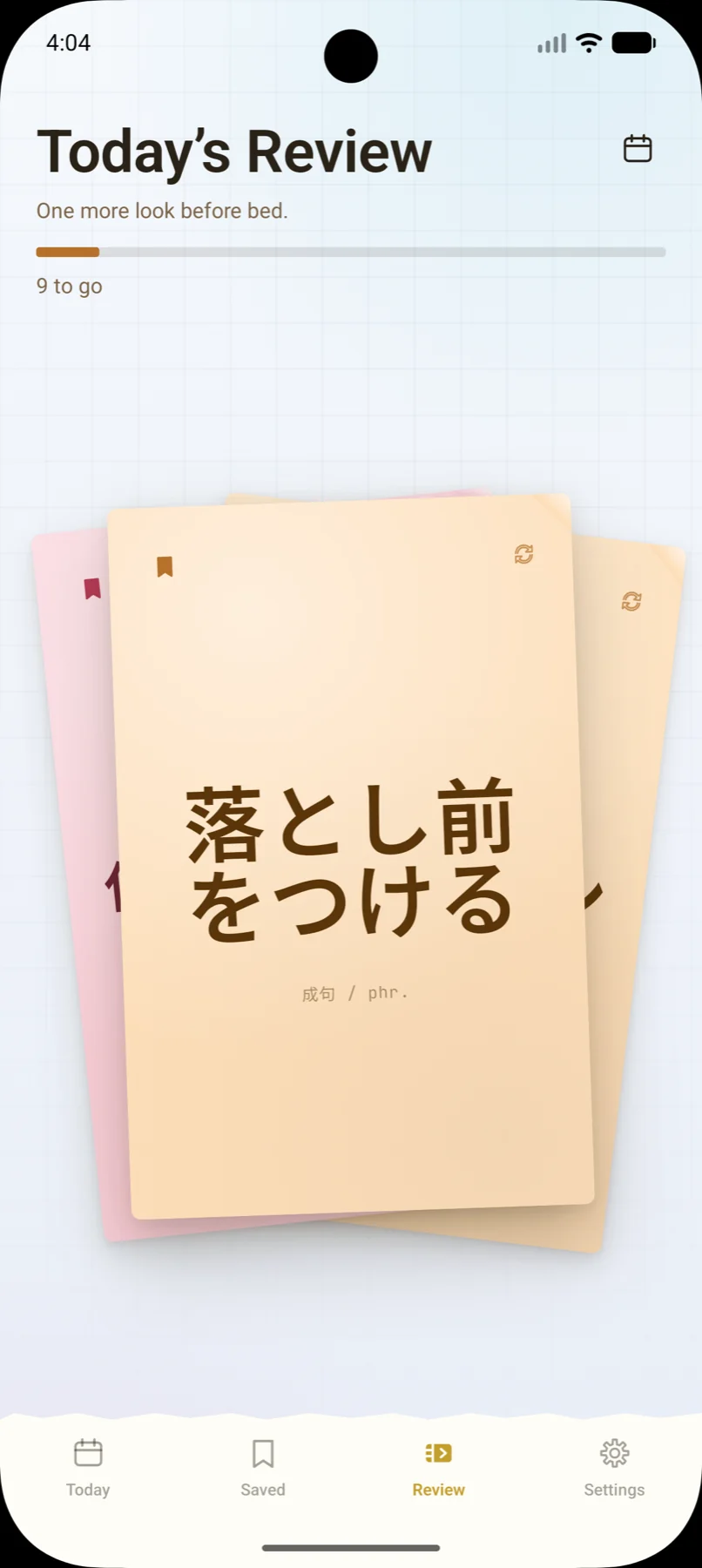
Flip the card. Swipe right if it came back to you, left if it was shaky. Each "Got it" pushes the next meeting further out; a shaky answer steps back down the ladder and returns sooner.
- 1d
- 3d
- 7d
- 15d
- 1 mo
- 2 mo
- 3 mo
- 6 mo
One reminder a day, at a time you choose. A calendar lets you walk back to any past day and look at that desk again.
Four word packs
JLPT N1 (1,834), JLPT N2 (884), everyday speech (1,103) and business (1,256). All four are free. Choose on first launch, change whenever you like.
Works offline
Words and progress live on the device. No sign-up, no login. The same on a train or a plane.
Glosses in four languages
Every entry carries Chinese, English, Korean and Vietnamese. Tick the ones you want — any combination.
Dark mode
Follow the system, or force light or dark. For reviewing at night, with the paper texture intact.
Pick a typeface
Beyond the system font, two Japanese faces ship with the app: gothic and textbook. The same word reads differently in each.
No ads
No ads on screen, and no advertising ID — the SDK support for it is stripped out on both Android and iOS.
Start free.
The free version is complete on its own. All StickyWord Plus removes is the cap of ten new words a day — no feature is held hostage.
Free
- 10 new words a day
- All four word packs
- Unlimited review and saving
- Reminders, typefaces, dark mode
StickyWord Plus
- Set your own pace — add more to the desk yourself
- Pay once. Never billed again
- Restorable on a new device with the same account
The price shown in the App Store / Google Play applies, tax included.
How long does a day take?
A few minutes: ten new words plus that day's review. Skipping a day and catching up later is fine.
Is it on both iPhone and Android?
Yes — iOS 18.2 or later, Android 11 or later. There is no sync between devices, though.
Do I need an account?
No. Everything is stored on the device. The flip side: uninstalling the app or switching phones means your progress does not come with you.
What can't I do on the free version?
Exactly one thing: add more than ten words to the desk in a day. All four packs, review, saving, reminders, typefaces and dark mode are free.
Is Plus a subscription?
No, it's a one-time purchase with no renewal. After a reinstall or a new phone, use "Restore purchase" in Settings.
Will more words be added?
Updates may add or revise entries. Updating never wipes the progress you already have.
Start with today's first note.
Scan the QR code with your phone's camera, or tap the button to open the store.

